Modify the Configuration File
Install cc swtich
Windows installation package
CC-Switch-v3.13.0-Windows (1).zip
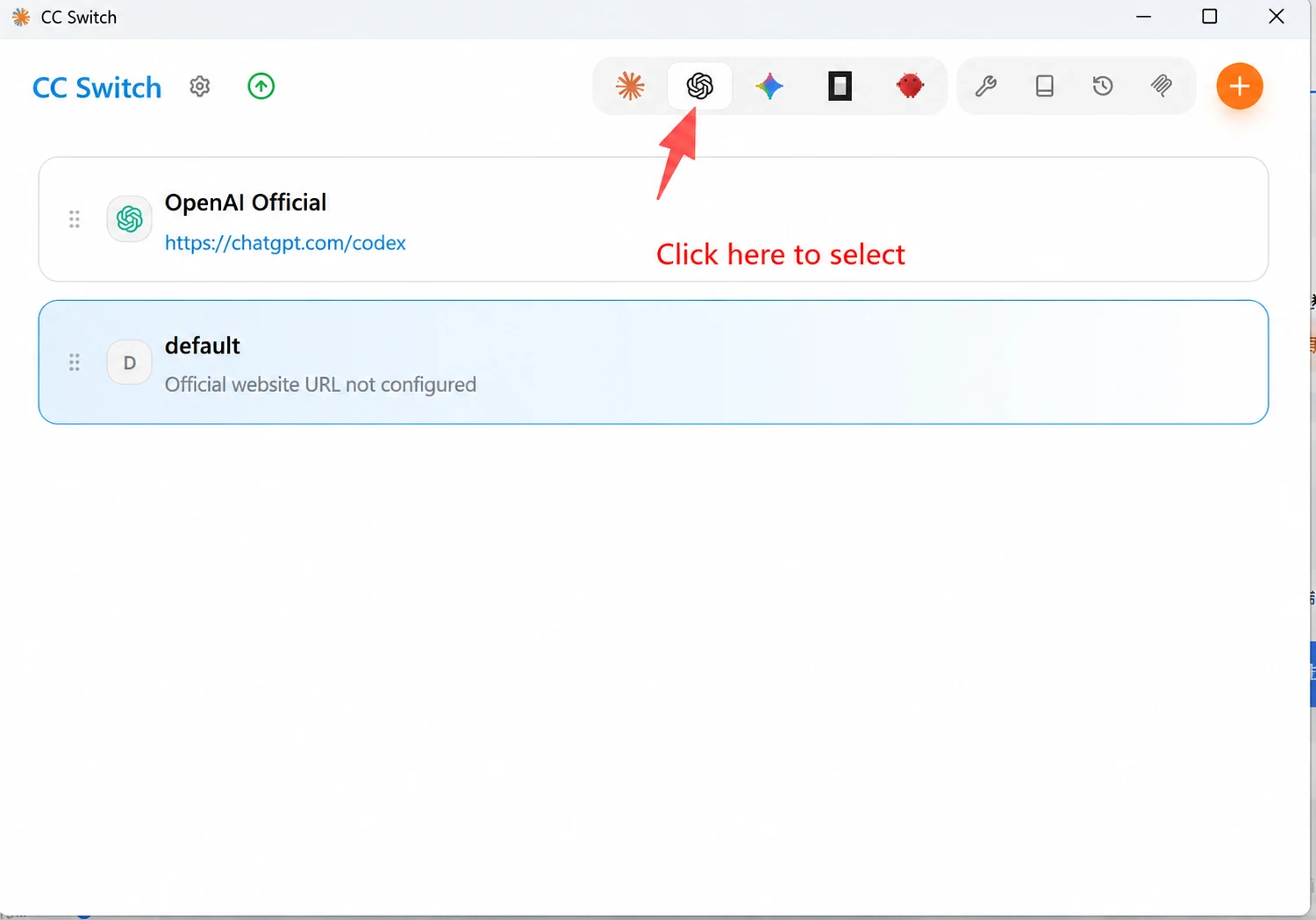
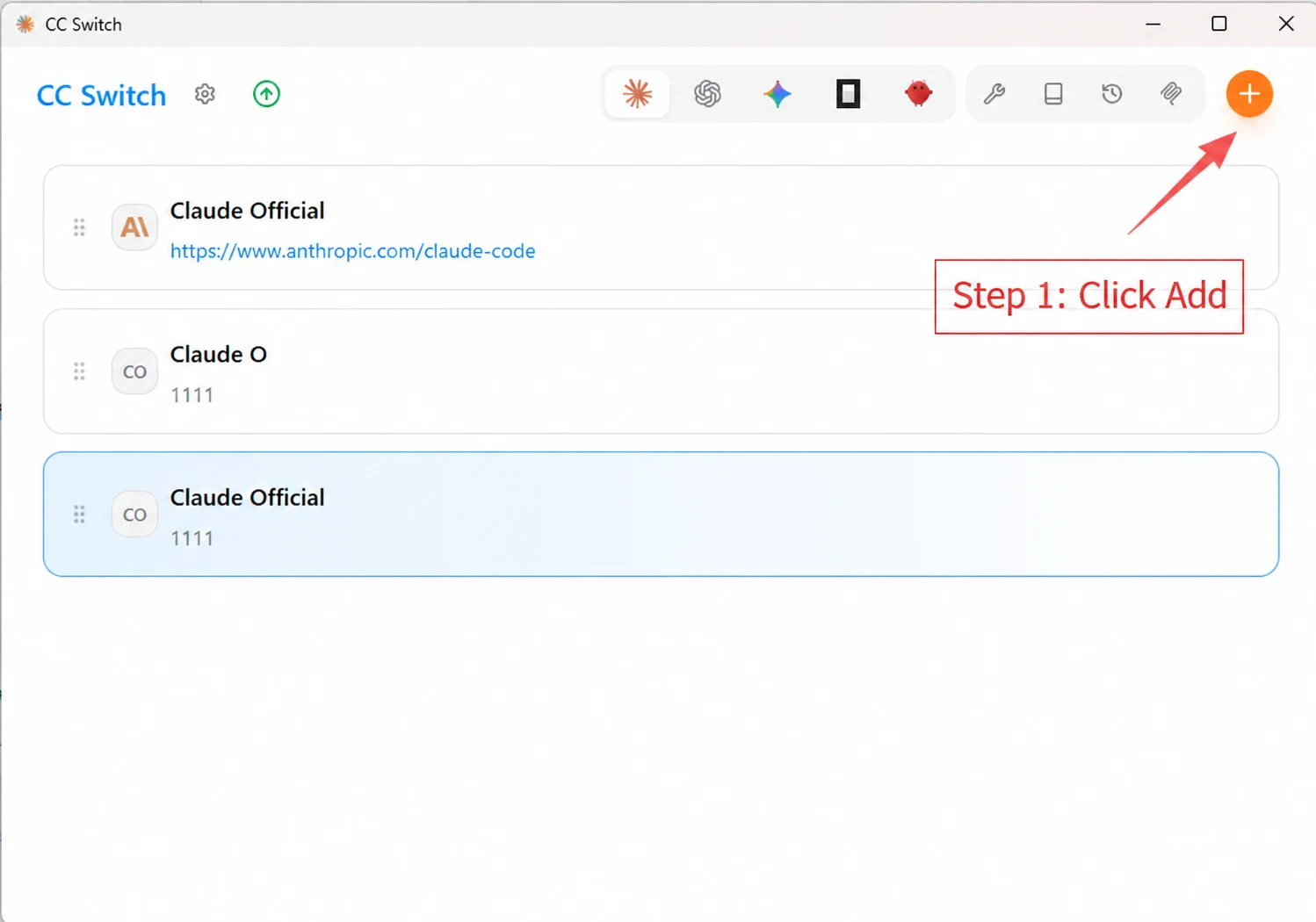
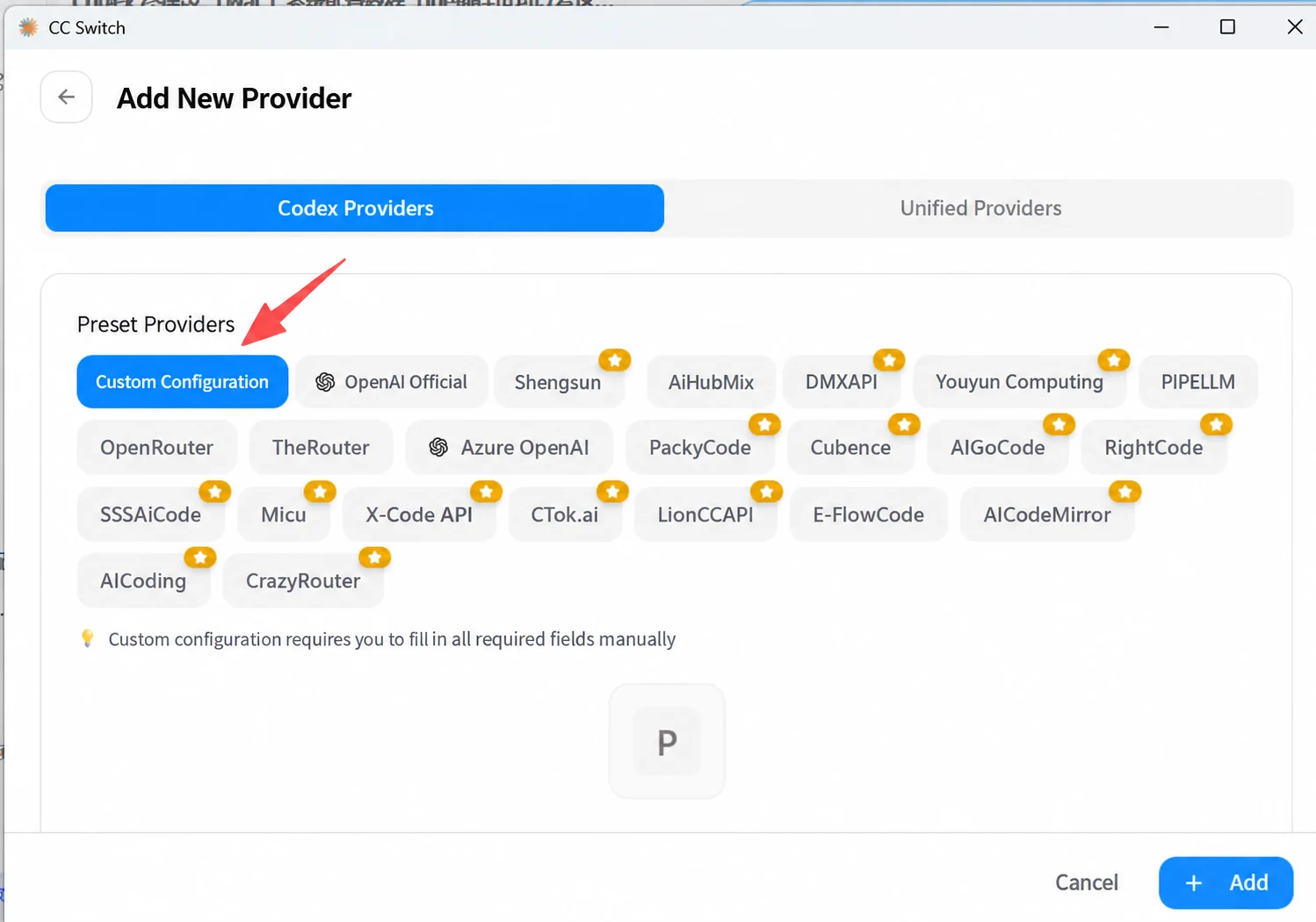
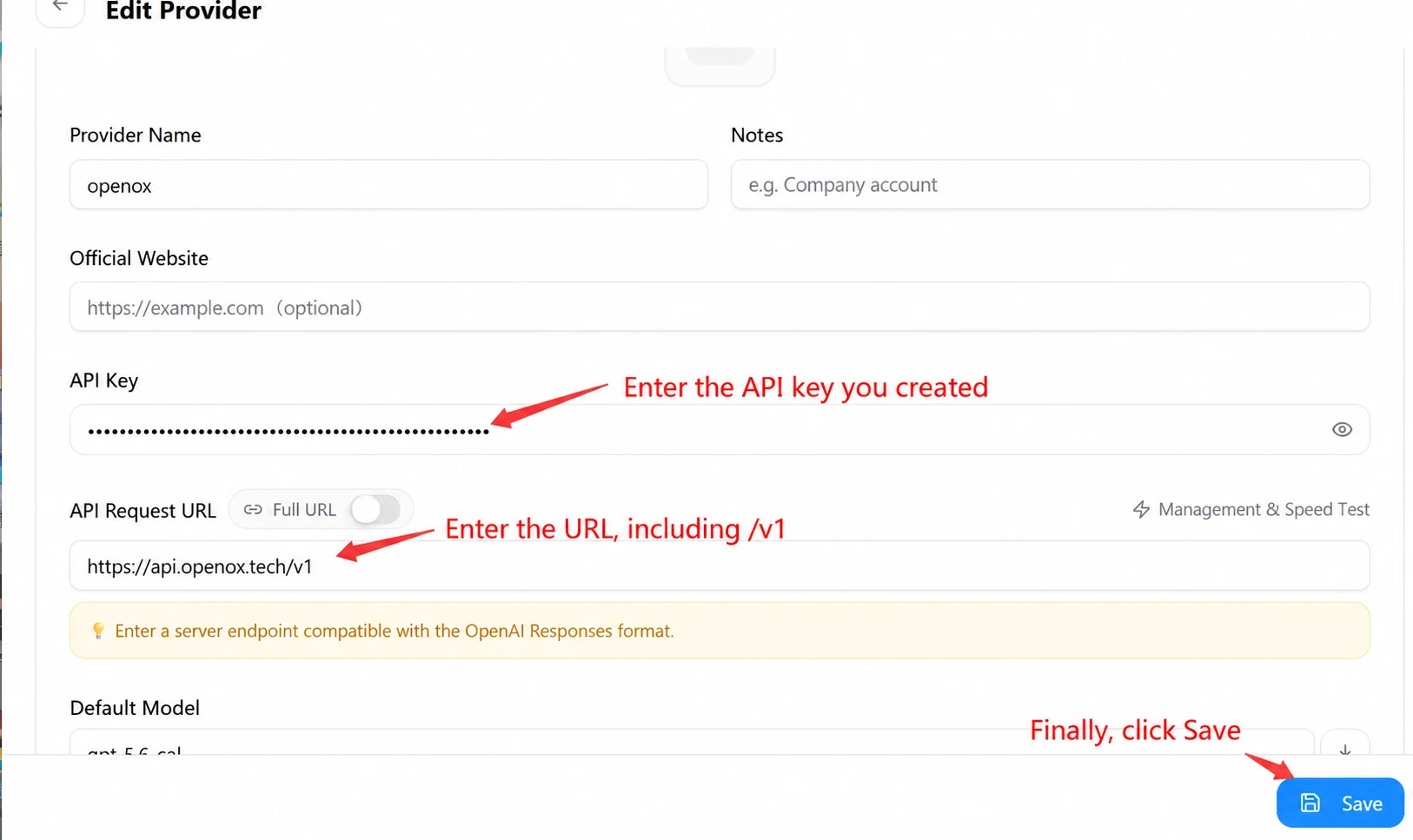
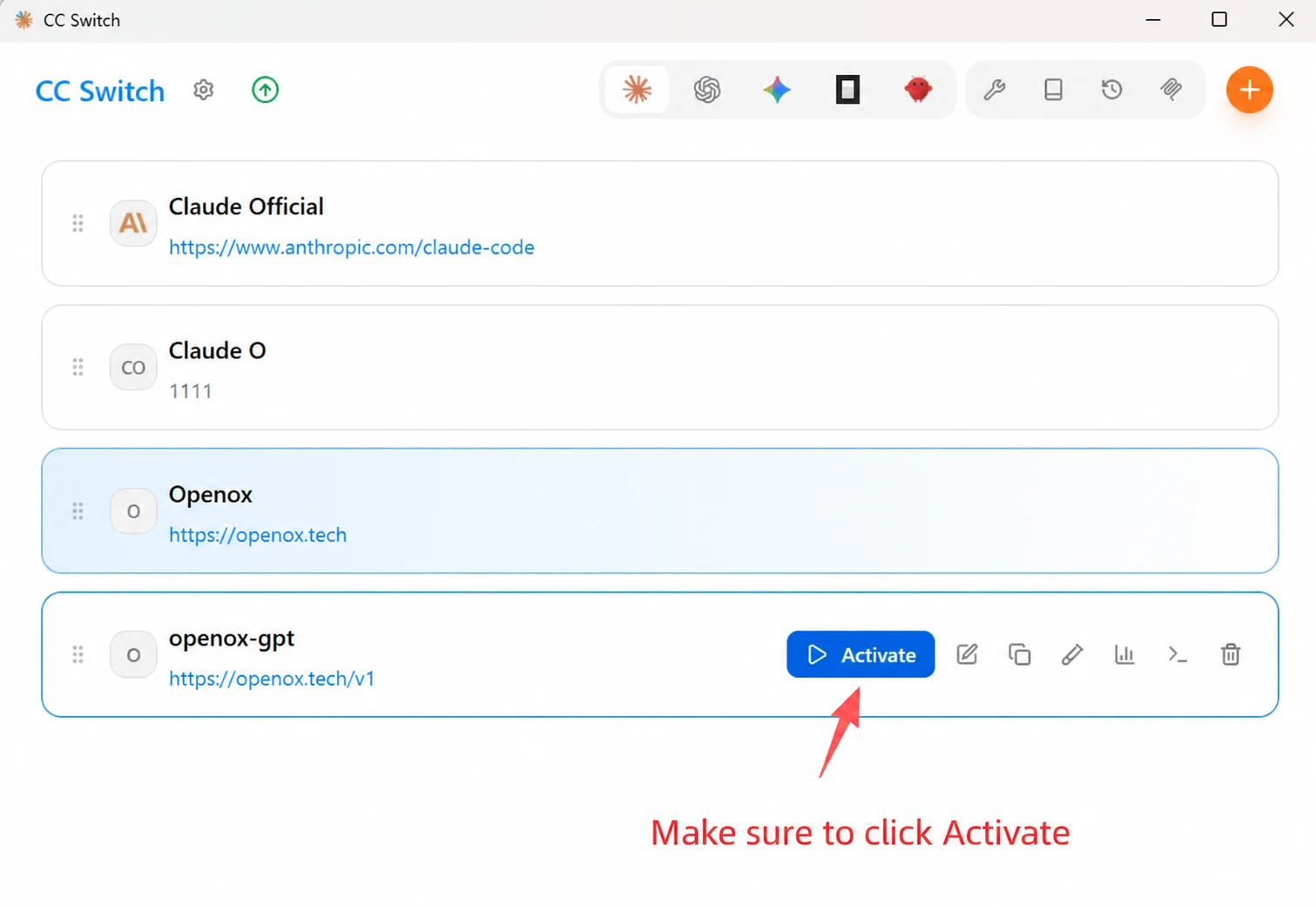
Start Using Codex
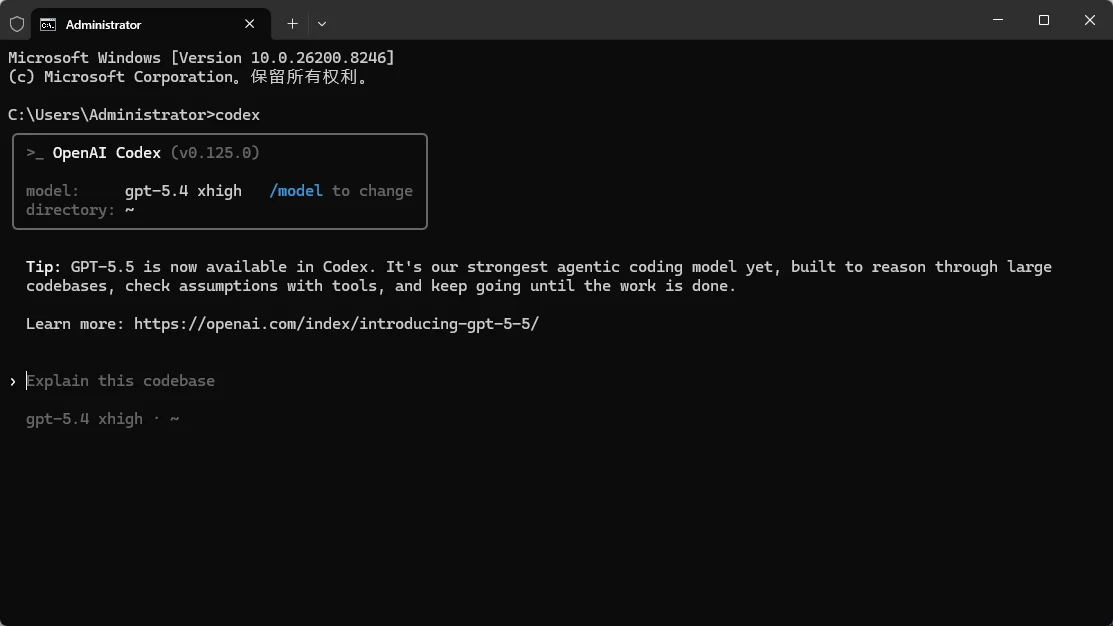
Action: Enter codex and press Enter to start using it~
- Note: The 5.5 model consumes more credits. When using it for the first time, you can enter /model and press Enter to switch to another model!
IDE Extension (Configure this only if needed; otherwise, you can skip this step)
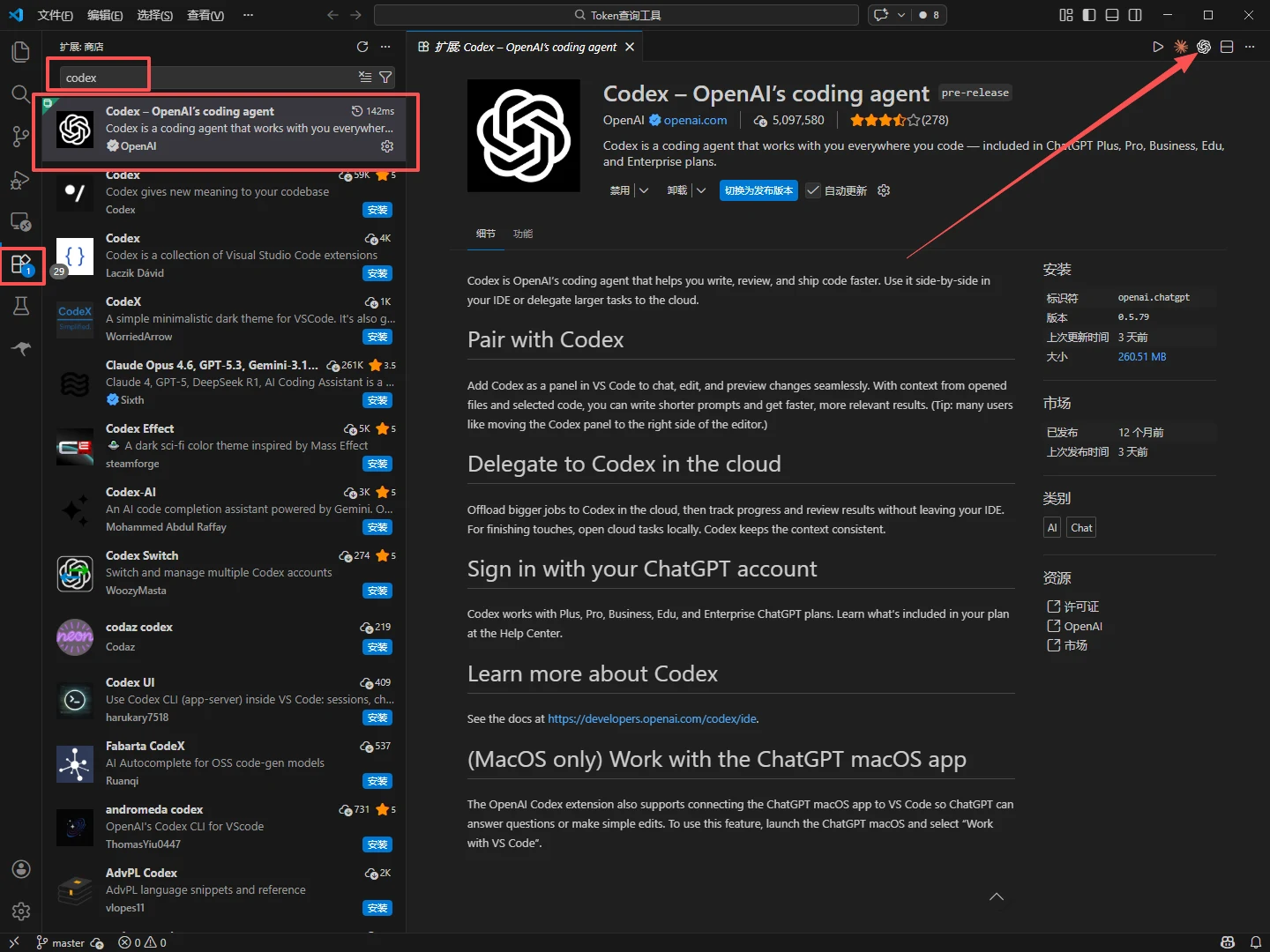
⬇️Integration: Once the above configuration is complete and responses work normally, open a new Vscode / Cursor /Trae window, download the Codex extension, and you can use it.